
Most free VPNs fail with Netflix. Netflix keeps a list of known VPN addresses and blocks them, so you get the proxy error instead of the show. A few free VPNs still get through — but only sometimes, and only until your monthly data runs out. This post is honest about that, so you do not waste an evening installing five apps that all fail.

The short version: if you only want a few hours of Netflix a month, Windscribe Free is the best free VPN for Netflix. PrivadoVPN Free is the second pick. Proton VPN Free has no data cap, but its free servers only sometimes open Netflix. Details below, plus how much you can actually watch on 10 GB.
The short answer
- Windscribe Free — best for Netflix. In a November 2026 test it opened Netflix in the US, Canada, UK, Germany and Japan. The catch is 10 GB a month, about 3 hours of HD video.
- PrivadoVPN Free — second pick. It opened 3 of 5 Netflix catalogues tested (US, UK, Germany). Also 10 GB a month, then it slows to about 1 Mbps instead of stopping.
- Proton VPN Free — the unlimited backup. No data cap at all, but its free plan only opened the US catalogue in the same test, and it does not officially support streaming on free. Use it when the other two run out or get blocked.
No free VPN works every time. Netflix and the VPN providers play a cat-and-mouse game: a server that works today can be blocked tomorrow. If a server fails, try another country, clear your browser cookies and cache, and try again. If none work that day, wait — do not install a random "free unlimited VPN" from an ad. Those are the dangerous ones.
For the full free VPN picture beyond Netflix, see the main guide: Best VPNs for Staying Safe Online in 2026 — and if you want US servers specifically: Best Free VPNs for USA. All the VPNs in this post are also listed on the VPN hub.
Before you start: two honest warnings
- Using a VPN to watch another country's Netflix catalogue breaks Netflix's terms. Netflix's terms limit viewing to the country where the account is used. It will not send you to jail, but Netflix can block the VPN connection and show you an error. This post is about what works, not about breaking rules for you.
- Netflix does not support VPNs on its ad-supported plan. If you are on the cheapest ad plan, a VPN will not change the catalogue, free or paid. You need an ad-free plan first. Netflix also blocks VPNs during live events.
1. Windscribe Free — the best free VPN for Netflix
Windscribe is the free plan to start with, for one reason: in testing it opened the most Netflix catalogues of any free VPN.
- Data: 10 GB a month once you confirm your email (you start at 2 GB without it).
- Netflix: opened US, Canada, UK, Germany and Japan in a November 2026 test of 5 catalogues.
- Servers: about 10 free countries, and you choose yourself — US included.
- Devices: unlimited. Phone, laptop, tablet and TV stick at the same time.
- Extras: a built-in ad and tracker blocker, and a Stealth mode for networks that try to block VPNs.
- The catch: that 10 GB cap. At HD quality that is about 3 hours of video a month. When it is gone, the connection stops until next month. This is a "watch a film while travelling" tool, not a "replace your paid plan" tool.
How to make the 10 GB last: watch in standard definition instead of HD when you can — SD uses about 1 GB an hour, HD uses about 3 GB an hour. Download nothing over the VPN, and turn the VPN off when you are not watching Netflix. Every gigabyte counts here.
Official site: Windscribe
2. PrivadoVPN Free — the fastest free backup
PrivadoVPN is newer and less talked about, but it is the second-best free streamer in testing.
- Data: 10 GB a month at full speed.
- Netflix: opened 3 of 5 catalogues tested — US, UK and Germany.
- Servers: 13 free locations in 10 countries, and you choose yourself.
- Devices: 1 device on the free plan.
- The catch: the same 10 GB limit — about 3 hours of HD. After the 10 GB, PrivadoVPN does not stop. It slows down to about 1 Mbps. That is too slow for Netflix, which needs 3 Mbps for SD and 5 Mbps for HD, so in practice your watching still stops. And unlike Proton, its no-logs claim has not yet been independently audited.
Use PrivadoVPN when Windscribe's server is blocked that day, or when you want a second free option with a different set of servers. Install it before you need it, not in the middle of a film night.
Official site: PrivadoVPN
3. Proton VPN Free — unlimited data, but Netflix is a maybe
Proton is the safest free VPN overall, and the only one here with no data cap. For Netflix specifically, it is third — because streaming is not its free plan's job.
- Data: unlimited. No monthly cap to watch, no clock ticking while you watch.
- Netflix: opened only the US catalogue in the November 2026 test. Other tests say its free servers do not reliably unblock Netflix at all. Expect "sometimes", not "always".
- Servers: about 10 free countries, but the app picks your server for you. You cannot choose "US" specifically.
- Devices: 1 device at a time.
- Privacy: audited no-logs policy, open-source apps, based in Switzerland. The free plan is paid for by people upgrading, not by selling your data.
- The catch: no server choice, no streaming support promised on free, and speeds on free servers drop at peak times.
So why is it on this list at all? Because it never runs out. When Windscribe and PrivadoVPN both hit their 10 GB wall, Proton is still there — for browsing, for public Wi-Fi, and for the occasional Netflix US try. Install it first for everyday safety, then add Windscribe for Netflix.
Official site: Proton VPN
How much Netflix can you actually watch free?
This is the maths nobody puts in the headline:
| Quality | Data per hour | What 10 GB gives you |
|---|---|---|
| SD | about 1 GB | about 10 hours |
| HD | about 3 GB | about 3 hours |
| 4K | about 7 GB | about 1.5 hours |
Netflix itself sets the speed you need: 3 Mbps for SD, 5 Mbps for HD, 15 Mbps for 4K. A free VPN that slows to 1 Mbps after its cap cannot play even SD properly. So the real free limit is not "which VPN unblocks Netflix" — it is "how many hours before the data runs out". Plan for 3 hours of HD a month, and you will not be disappointed.
If Netflix shows the proxy error with your free VPN, try this first
Netflix shows error M7111-5059 (or a "you seem to be using a VPN or proxy" message) when it recognises the VPN's address. Before you give up, work through this list:
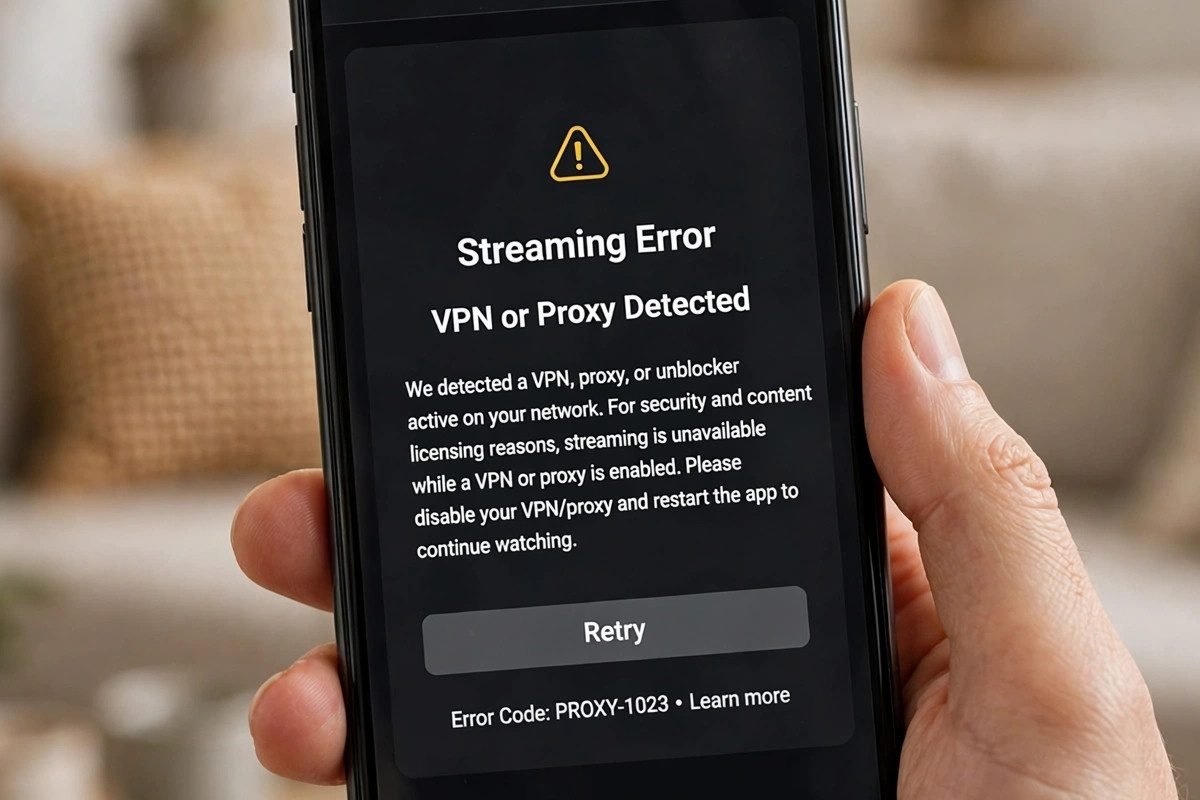
- Switch server. Try a different US server, or a different country. One server gets blocked while another on the same VPN still works.
- Switch VPN. This is why you installed two. Windscribe blocked today? Try PrivadoVPN.
- Clear cookies and cache. Netflix can remember your real location from cookies. Clear them, close the browser, reconnect the VPN, then open Netflix again.
- Try a different browser or the app. Sometimes the browser holds the old location and the app does not, or the other way round.
- Wait a day. Providers get new addresses and Netflix blocks them again. A server that fails tonight may work tomorrow.
And the habit that saves the most frustration: install your VPNs at home, on a connection you trust, before film night. Downloading a VPN app for the first time on the very public Wi-Fi you wanted protection from is exactly backwards.
The free VPNs you should stay away from
Here is the uncomfortable truth about most "100% free, unlimited, no signup" VPN apps: somebody is paying for those servers, and if it is not you, it is usually your data. Two names keep coming up in independent reporting for the wrong reasons: Hola, which routes your traffic through other users' connections, and Urban VPN, reported to leak IP addresses and sell user records. Neither belongs on your phone.
A few rules that keep you safe:
- Install VPNs only from Google Play, the App Store, or the provider's own website. Never from a random APK site, and never from a link forwarded in a group chat. If a link looks strange, check the 9 signs first.
- Prefer providers that also sell a paid plan, like the three above. Their free tier is advertising, not their business model.
- If a free VPN has no real website, no company name, and no privacy policy you can actually read, skip it.
And one habit that belongs on a safety site: before you download any VPN app from a link someone sent you, paste that link into the SafeShieldX scanner first. Fake VPN apps are a classic way to spread malware, and a ten-second scan beats a week of cleaning up an infected phone.
Quick questions
Will a free VPN unblock Netflix US?
Sometimes. Windscribe Free and PrivadoVPN Free both opened Netflix US in recent tests, and Proton VPN Free did too in one test — but none of them works every time, and all of them are limited by data. Expect a few hours a month, not unlimited streaming.
Which free VPN is best for Netflix?
Windscribe Free, because it opened the most catalogues in testing and lets you pick the country yourself. PrivadoVPN Free is the second pick. Proton VPN Free is the unlimited backup, not the Netflix pick.
How many hours of Netflix can I watch on 10 GB?
About 3 hours in HD, or about 10 hours in SD. 4K will eat 10 GB in under 2 hours, so do not try it on a free plan.
Is using a VPN for Netflix legal?
Using a VPN is legal in most countries for ordinary personal use, but watching another country's Netflix catalogue breaks Netflix's terms of service. Netflix can block the connection. Check your local rules too — a few countries restrict or ban VPN use outright.
Why does Netflix say I am using a proxy?
Because Netflix recognised the VPN server's address. Switch to another server on the same VPN, clear your cookies and cache, and try again. If it still fails, try your second VPN, or wait a day.
Should I just pay for one?
If Netflix is the main job — you watch every evening, or the whole household watches — a paid plan probably pays for itself in saved frustration. Paid VPNs have far more servers, so Netflix blocks them less often, and there is no data cap. If you only want a film now and then while travelling, the free combination above — Windscribe for Netflix, Proton for everything else — is genuinely enough. Start free, and only pay when a free limit is actually getting in your way.
One last note, because free plans change all the time: check the provider's own site for the current limits before you build your routine around them. What unblocks Netflix today can be blocked tomorrow. The names above are the ones that have stayed trustworthy the longest, and that is worth more than any single feature.